 Carrylist
Remove the invited membership
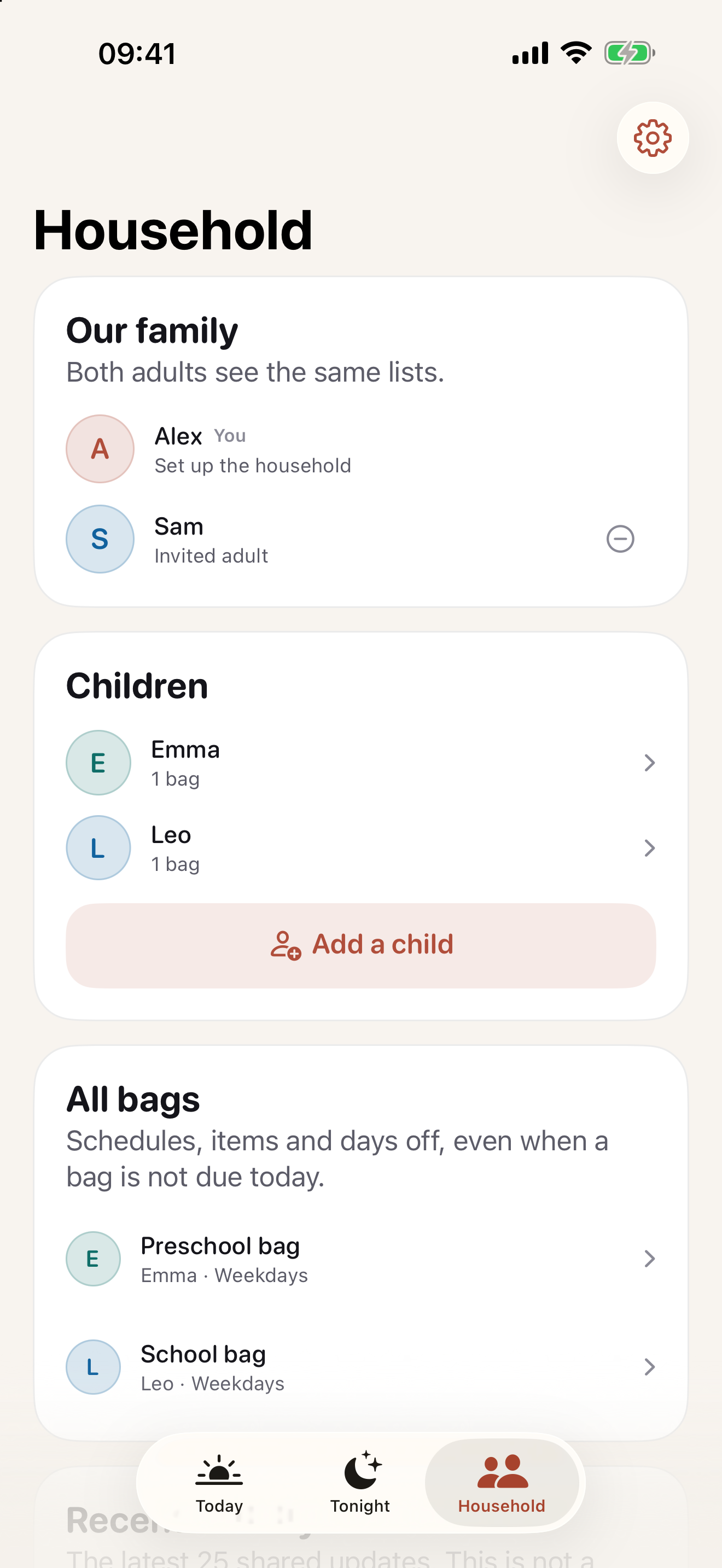
- Open Household as the owner.
- Find the invited adult.
- Use the remove-adult control.
- Read and confirm the prompt.
- Check sharing status before relying on further shared updates.
Removal does not reset history
Prior packing records remain attributed to that adult. Manage the Apple subscription separately if you also want to stop paying.
Need help with this?
Remove access without treating earlier packing history as deleted.
Contact Carrylist supportInclude the app version, device, and what happened. Do not send passwords or private family records.
Reviewed October 2, 2026. Maintained by Joao Vitor Humenhuk Achutti.