 Carrylist
Save a bag as a template
- Open the bag and save any changes first.
- Open the bag again and choose Save as template.
- Name the template and tap Save template.
Start a new bag from it
- Add a bag, choose the child, then choose Start from a template. You can also open Bag templates in Household and tap Use this template.
- Check the bag's name, destination, leaving time and days.
- Turn off any template items this bag does not need.
- Tap Save. Every item in the new bag starts unpacked.
What a template keeps
A template leaves out the child, packed checks, who is handling the bag and departure confirmations.
- The bag's name, destination, leaving time and weekdays
- Its usual items, with their pictures and Essential marks
- Its weekly routines, including paused ones
Manage your templates
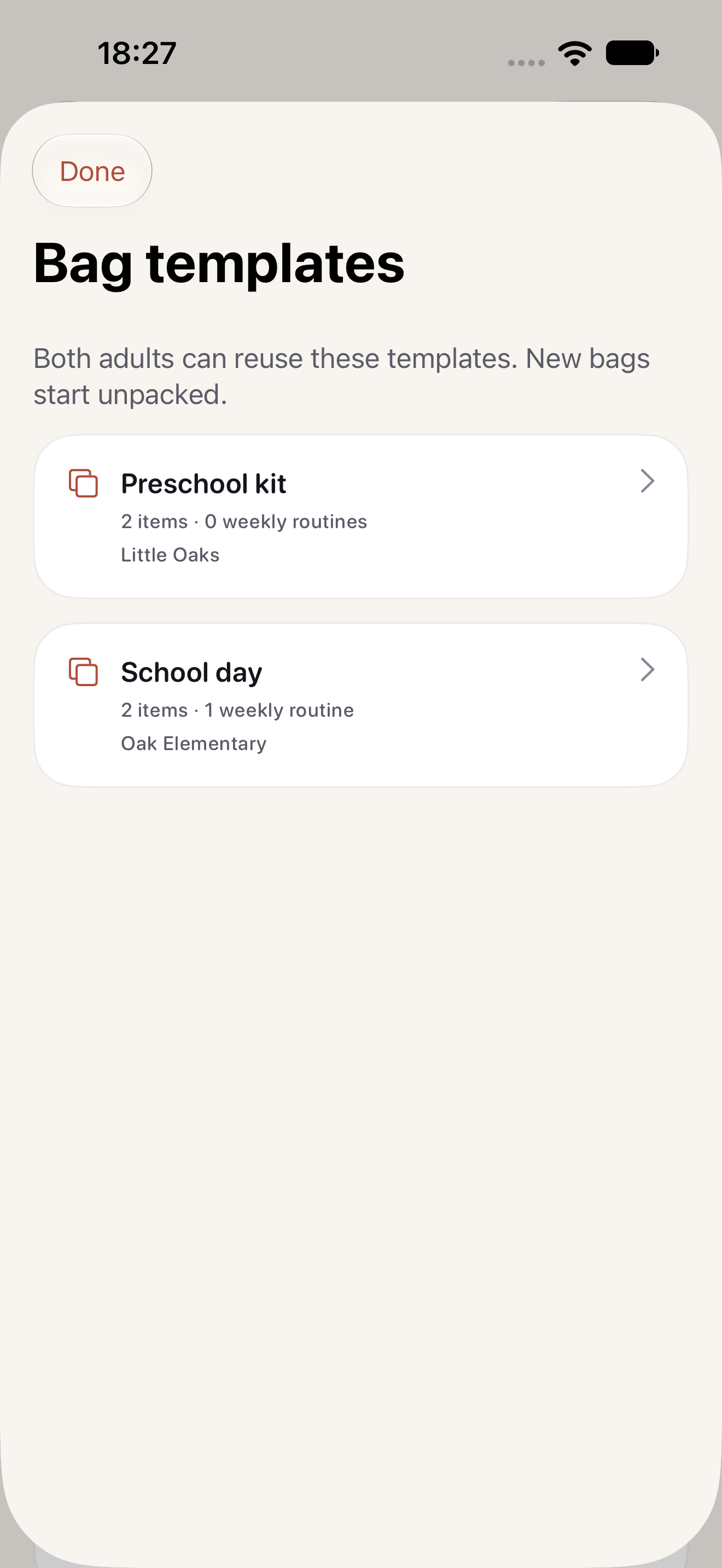
Open Household, then Bag templates, to preview, rename, delete or use a template. Deleting a template does not remove bags already made from it.
Free on your own. Shared with Household.
Solo templates are free and stay on your device. A Carrylist Household subscription shares the template library with one invited adult. Both adults need Carrylist 2.0 to use shared templates. Your solo templates stay usable if the subscription ends.
Keep this in your child's bag list
Save the bag you already pack every week as a template. Use it the next time a sibling or new activity needs the same kit.
Get Carrylist free
Unlimited solo use. Free.
For iPhone and iPad. iOS 26 or later.
Sharing with one other adult needs a monthly or yearly Household subscription. The invited adult pays nothing.
Reviewed October 10, 2026. Maintained by Joao Vitor Humenhuk Achutti. Report a correction.