 Carrylist
Review names before adding items
- Read the recognized items before using Add.
- Correct names that were read incorrectly.
- Deselect headings, duplicates, and items that stay at school.
- Choose another photo and scan again if the page is unclear.
- Add the selected items and check the resulting bag list.
Improve the original photo
Use a flat page, readable type, and even light. Separate columns when the result combines unrelated lines. Recognition does not prove an item is required.
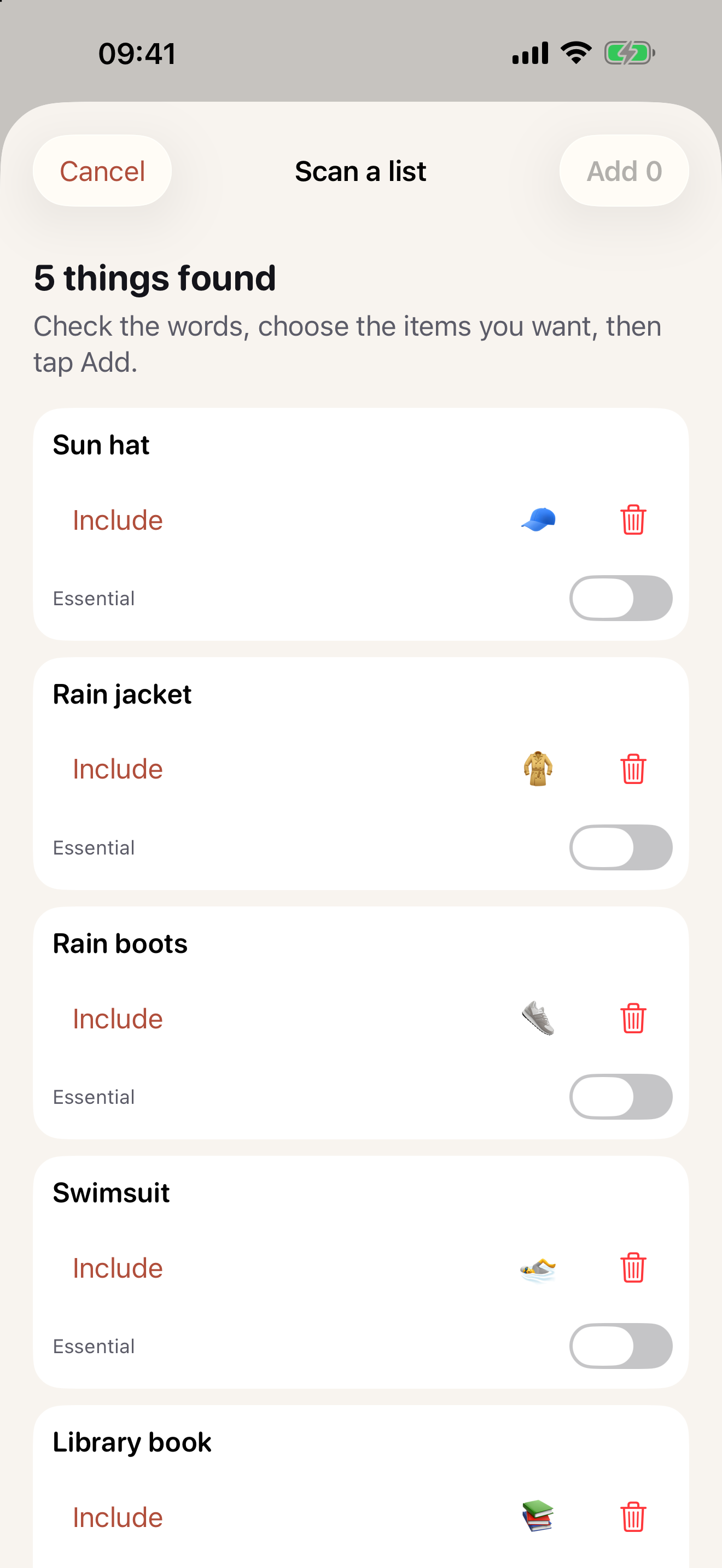
Keep this in your child’s bag list
Keep the corrected names in the bag before checking the physical items.
Get Carrylist free
Unlimited solo use. Free.
For iPhone and iPad. iOS 18 or later.
Sharing with one other adult needs a monthly or yearly Household subscription. The invited adult pays nothing.
Reviewed October 2, 2026. Maintained by Joao Vitor Humenhuk Achutti.